



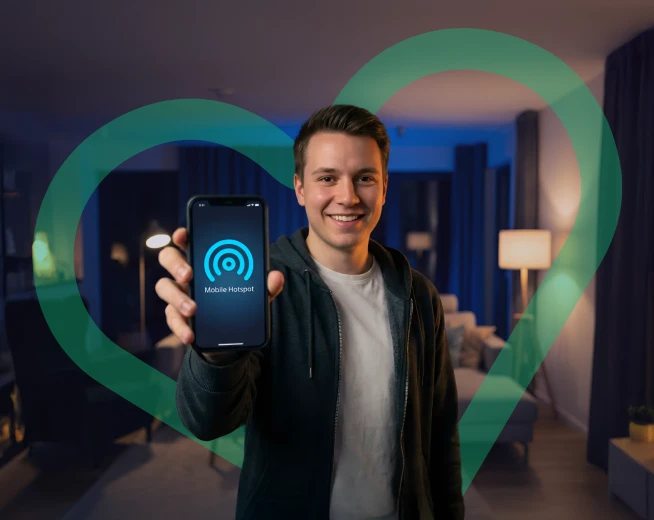
If you have never used your phone as a mobile hotspot or for mobile tethering, then it might sound like something very difficult to do. Most people shy away from the practice because they think it consumes a lot of data and also due to complicated settings involved. In real sense, sharing internet from your phone is simple and safe with minimal setting adjustments; more so useful when Wi-Fi isn’t available.
This guide will first help you understand what mobile tethering is. It then steps through hotspot setup on both Android and iPhone, with tips about staying aware of your data usage so you never run out unexpectedly.
Defining Mobile Tethering
Tethering is a feature that allows sharing the internet connection of one device (in most cases, your smartphone) with another device like a laptop or tablet. In technical terms, when tethering is enabled, the phone behaves as a Wi-Fi router and provides connectivity wherever there’s mobile data coverage.
This is especially useful if you are travelling or working remotely. Also, your home broadband happens to be down.
What is Mobile Tethering?
Mobile tethering would mean using your smartphone’s mobile data connection on another device instead of relying on public Wi-Fi by connecting a laptop or tablet directly to the phone and browsing, streaming, or working online securely.
Many people also refer to this as using a mobile hotspot or sharing internet from a phone.
Bluetooth tethering is one of the most underrated features on your Android, but if you use it once, you'll see how seamlessly and economically it connects to laptops with great battery management.
There are basically three modes in which internet sharing takes place from a smartphone device:
Wi-Fi Hotspot Mode
This happens to be the most preferred option. Your phone creates a Wi-Fi network that other devices connect to. It's quick, simple, and perfect when there are multiple devices.
USB Tethering
You perform USB tethering by connecting your phone to a laptop using a cable connection. The link remains stable through this method while also helping conserve the battery,
Bluetooth Tethering
Bluetooth tethering consumes less power but the internet speed is much slower. Useful when you just need simple browsing and want to save your battery.
Choosing the Right Mobile Data Plan for Tethering
Not all mobile data plans support tethering in the same way. Some allow unlimited usage while others restrict speed or impose a fair-usage policy.
Before you start using mobile tethering on a regular basis, check:
- Whether hotspot usage is included in your plan
- What’s your monthly data allowance?
- Speeds and other limits when sharing your connection
- Roam like at home rules if you tether while abroad
Choosing the correct plan will help avoid any unwanted surprises and ensure everything works smoothly.
How to turn on hotspot in Android
Turning on a hotspot in Android is quick as well as flexible. Follow the steps below:
Enable Tethering On Android
- Open Settings
- Go to Network & Internet
- Tap Hotspot & tethering
- Select Wi-Fi hotspot, USB tethering or Bluetooth tethering
- Configure Hotspot settings
You can change its name and put a strong password. This will keep other people from using your mobile data without permission.
Troubleshooting Android Hotspot Issues
If your Android hotspot isn’t working:
- Restart your phone
- Check your mobile data limit
- Make sure hotspot is enabled
- Update your Android software
How to Set Up a Mobile Hotspot on iPhone
Apple devices use the Personal Hotspot feature for tethering.
Activate Personal Hotspot on iPhone
- Open Settings
- Tap Personal Hotspot
- Turn on Allow Others to Join
Your iPhone is now ready to share its internet connection.
Secure Your iPhone Hotspot
Personal Hotspot > Set a strong Wi-Fi password so that only trusted devices can connect.
Fixing iPhone Tethering Problems
If your iPhone hotspot doesn’t appear:
- Restart your iPhone
- Make sure mobile data is enabled
- Check your version of iOS
- Is hotspot included in your plan
Mobile Tethering Safety and Data Management
Using a mobile hotspot is convenient, but it’s important to stay secure and manage data usage.
Protecting Your Mobile Hotspot
Never leave your hotspot open. An unprotected hotspot will allow someone to get connected and share your bandwidth.
Managing Data Usage While Tethering
Be careful with activities that consume a lot of data-streaming, video calls or gaming. You can always monitor usage in phone settings so as not to surpass the maximum allowed limit.
Avoiding Unauthorized Access
Frequent change in password makes it difficult for any unauthorized user to access and also turn off tethering when not being used.
Practical Uses of Mobile Tethering
Working remotely is something that has become very common in our daily lives. Most people cannot always stay at home to work; they need to move around within the city or even travel outside their resident cities, yet still keep up with work obligations. In such cases, mobile tethering comes in handy.
Remote Work with a Mobile Hotspot
The possibility of sharing internet from your phone makes remote work much easier. A mobile hotspot allows you to confidently perform secure work-from-café sessions on trains or outdoor benches.
Sharing Internet with Multiple Devices
Several devices can be connected simultaneously through one mobile hotspot connection-this feature makes it perfect for use during family/group travels.
With enough data, you can stream movies or videos and play online games from anywhere. Just keep an eye on your consumption to maintain good speeds.
STAY CONNECTED WHEREVER YOU ARE
Mobile tethering and mobile hotspot give you the freedom and flexibility to stay online anytime, anywhere. With the right setup and a suitable mobile data plan, sharing internet from your phone is simple, secure, and reliable.
Check out Lyca Mobile’s data plans for cheap mobile internet to stay connected all over Germany and beyond.